Why Most Businesses Automate the Wrong Things (And How to Fix It)
S
Syful Islam
June 23, 2026
Category:
AI Automation
Tags:
#automation
#business-strategy
#n8n
#workflow
#roi
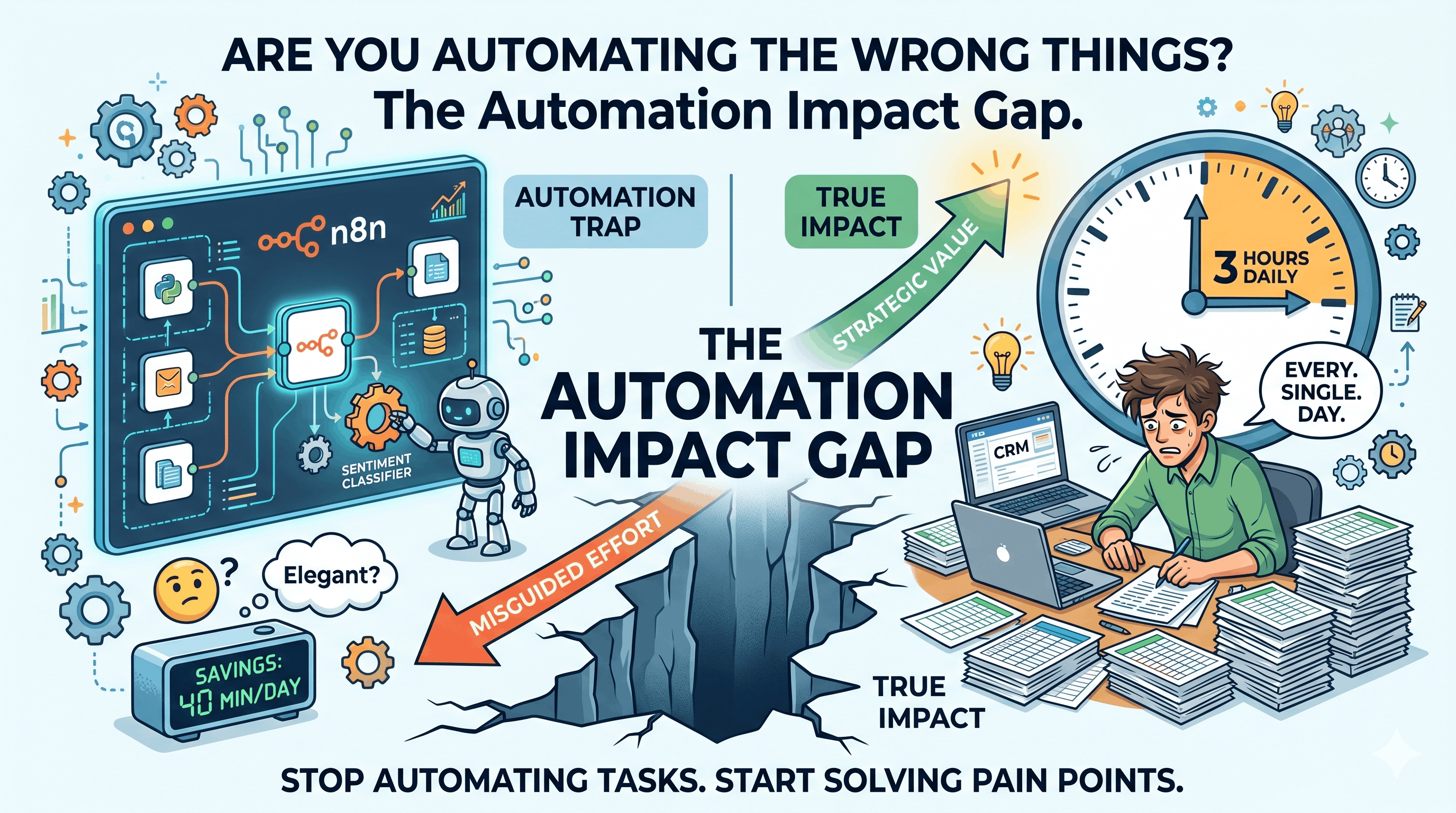
I once spent three weeks building a beautiful n8n workflow that automatically sorted incoming support tickets by sentiment, priority, and customer tier. It was elegant — 14 nodes, a custom Python script, and a LangChain integration that classified tickets with 92% accuracy.
Two months later, I checked the metrics. The workflow saved the support team about 40 minutes per day.
Forty minutes.
Meanwhile, the sales team was manually copying data between their CRM and spreadsheet every single morning. That was eating 3 hours daily. Nobody had told me about it because "it wasn't an automation problem — it was just how we've always done it."
That experience broke something in my understanding of automation. I realized the real problem isn't that businesses don't automate. It's that they automate the wrong things.
The Automation Trap: Why "Efficiency" Isn't Enough
Here's what I see constantly: a business owner or team lead decides to "implement automation." They start with what's obvious — usually email sorting, social media posting, or basic data entry. They build something that works. They celebrate. And nothing fundamentally changes.
According to a 2025 McKinsey report on enterprise automation, only 30% of automation initiatives achieve their stated goals. Not because the technology failed — but because they automated processes that were already low-impact.
The math is simple. If a task takes 10 minutes a day and you automate it, you save 10 minutes a day. If a task takes 3 hours a day and you automate it, you save 3 hours a day. Same effort to build. 18x difference in value.
This is what I call the Automation Impact Gap — the difference between what businesses think to automate and what they should automate.
The Framework I Use After Building 30+ Automations
After building automation systems for everything from e-commerce order processing to AI-powered lead scoring, I developed a framework I call :
ICE Impact
I — Identification: Finding the right candidates for automation
C — Complexity vs. Impact: Scoring each opportunity
E — Execution: Building and iterating
Let me walk you through each step.
Step 1: Identification — The "Pain Audit"
Don't start with "what can we automate?" Start with "what makes people want to quit?"
I literally ask teams: "What's the most soul-crushing part of your day?" The answers are never what you'd expect. It's rarely the obvious stuff. It's usually:
"I have to check five different systems to answer a customer question"
"Every Monday I manually update the same spreadsheet from three data sources"
"I spend 20 minutes formatting reports that nobody reads"
These are the gold mines. They're not technically complex. They're emotionally expensive — and that's exactly what makes them worth automating.
Action item: This week, ask three people on your team: "What's the one task you wish would just do itself?" Write down every answer. That's your automation backlog.
Step 2: Complexity vs. Impact — The Automation Matrix
Not everything painful should be automated. I use a 2x2 matrix:
Low Complexity
High Complexity
High Impact
🟢 DO FIRST — Quick wins
🟡 PLAN — Strategic projects
Low Impact
⚪ FILL IN — When you have time
🔴 DON'T — Not worth it
The sweet spot is High Impact + Low Complexity. These are tasks that:
Happen frequently (daily or weekly)
Follow predictable rules
Require moving data between systems
Don't need human judgment
Examples I've seen repeatedly:
Copying data between CRM and accounting software (3+ hours/week)
Generating weekly reports from multiple data sources (2+ hours/week)
Qualifying leads by checking multiple criteria (1+ hours/day)
Syncing inventory across sales channels (2+ hours/day)
Each of these can be automated with n8n or Make.com in a few hours. Each saves more time than my fancy ticket-classification system.
Step 3: Execution — Start Ugly, Iterate
Here's a mistake I made for years: trying to build the "perfect" automation on the first try. Now I follow the 80% Rule: build something that works 80% of the way, deploy it, and improve based on real usage.
My first automation for a client was a lead-scoring system in n8n that pulled data from their website forms, checked company size via Clearbit's API, and assigned a score. It was rough. The scoring wasn't perfectly calibrated. But within a week of running it, we had real data to improve from. Within a month, it was saving the sales team 15+ hours per week.
The key insight: an imperfect automation that runs beats a perfect automation that doesn't exist.
A Real-World Example: From 3 Hours to 8 Minutes
Let me give you a concrete example. A mid-sized e-commerce company I worked with had this workflow every morning:
Check orders in Shopify → manually note low-stock items
Cross-reference with supplier spreadsheet → identify what needs reordering
Calculate order quantities based on 30-day sales velocity
Draft purchase orders in their accounting system
Send to manager for approval
Total time: 2.5–3 hours every single morning.
We built an n8n workflow that:
Monitors Shopify orders every 15 minutes
Calculates 30-day moving average of sales velocity per SKU
Compares current stock against reorder point (set per product)
Auto-generates a draft purchase order in their system
Sends a Slack message to the manager with a summary and one-click approval
Total time for the team: 8 minutes (just reviewing and approving).
The ROI calculation:
Before: 3 hours × $30/hr = $90/day = $27,000/year
After: 8 minutes × $30/hr = $4/day = $1,200/year
Net savings: ~$25,800/year
Build time: ~6 hours
Payback period: less than 1 day
That's the power of automating the right thing.
The "Hidden Automation" Nobody Talks About
There's a category of automation that almost nobody discusses, and it's where I find the biggest wins: decision automation.
Most automation tools handle data movement (take data from A, put it in B). But the real bottleneck in most businesses isn't moving data — it's making decisions about data.
Example: A marketing team I worked with was manually deciding which leads to follow up with. They had 200+ new leads per week and a 5-person team spending 3 days just on lead qualification.
We built a system that:
Pulled leads from their form submissions
Enriched data with company info (via Apollo.io API)
Scored leads based on 12 criteria (company size, role, behavior, budget signals)
Auto-assigned hot leads to sales reps via Slack
Scheduled follow-up sequences for warm leads
Archived cold leads with a 90-day re-engagement trigger
The decision-making that took 3 days now runs continuously in the background. The sales team focuses only on qualified conversations.
This is where tools like LangChain and LangGraph shine — they let you automate judgment, not just data flow. And n8n's AI Agent node makes this accessible even without deep ML expertise.
What Most People Get Wrong About n8n and Make.com
I've built production systems on both platforms, and here's what I wish someone had told me earlier:
n8n is better when:
You need complex branching logic
You want to integrate AI/LLM capabilities
You need to self-host for data privacy
You're building agentic workflows
Make.com is better when:
You need a simpler visual interface
You want faster setup for straightforward automations
You're non-technical and need something your team can maintain
You need a large library of pre-built connectors
The mistake? Trying to force one tool to do everything. I now use n8n for anything involving AI or complex logic, and Make.com for simple integrations. They coexist perfectly.
Your Action Plan for This Week
If you take nothing else from this article, do these three things:
Monday: Run a "Pain Audit" with your team (or yourself). List every repetitive task that takes more than 15 minutes daily.
Wednesday: Score each task on the Automation Matrix (Impact × Complexity). Pick the top 2.
Friday: Build a rough automation for the #1 task. Don't aim for perfection. Aim for "good enough to test."
The automation landscape in 2026 is dramatically different from even two years ago. Tools like n8n's AI Agent node, Make.com's new agent capabilities, and frameworks like LangGraph have made it possible to automate not just tasks but entire decision chains.
But the technology is only half the equation. The other half is choosing what to automate. And that's where most businesses leave money on the table.